
Can AI Lay Out Stickers Like a Designer?
In the world of AI-generated content, we’ve seen models get pretty good at making things — illustrations, photos, even whole slides. But one thing they still kind of struggle with?
Knowing where to put things.

That’s the gap we tried to tackle:
Given a few transparent illustrations and a slide layout, how can we help AI arrange those elements beautifully and deliberately — like a designer would?
This project started with a simple curiosity and grew into a full pipeline (and a paper, too). Here’s a peek into what we explored and learned.
Real Slides Are… Messy (and Kind of Underrated)
If you look at many presentation templates — especially the fun or creative ones — you’ll notice a common structure:
A clean background
Text zones
A few scattered illustrations (aka stickers) that feel dynamic and intentional
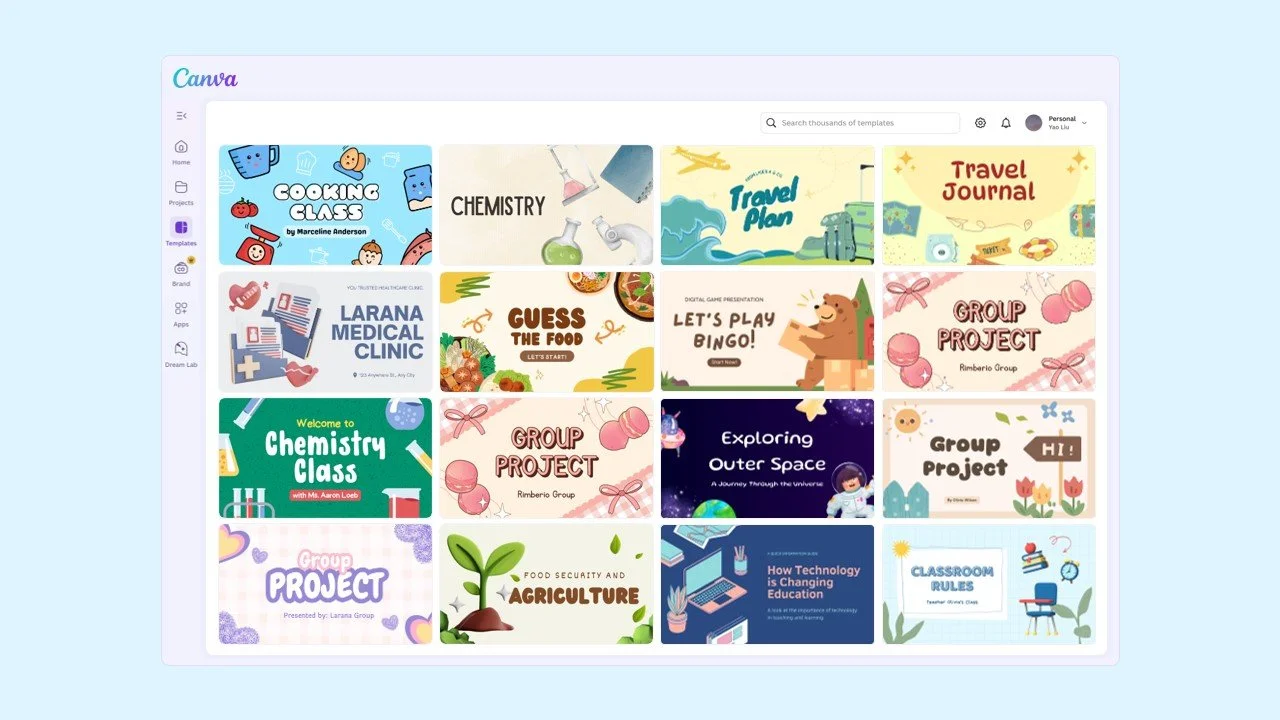
Examples from Canva
At first glance, it looks playful and simple. But ask any designer — getting those stickers to feel balanced, lively, and not chaotic is not easy.
There’s a real sense of rhythm and hierarchy under the hood.
So we asked:
Can a model learn this visual logic?
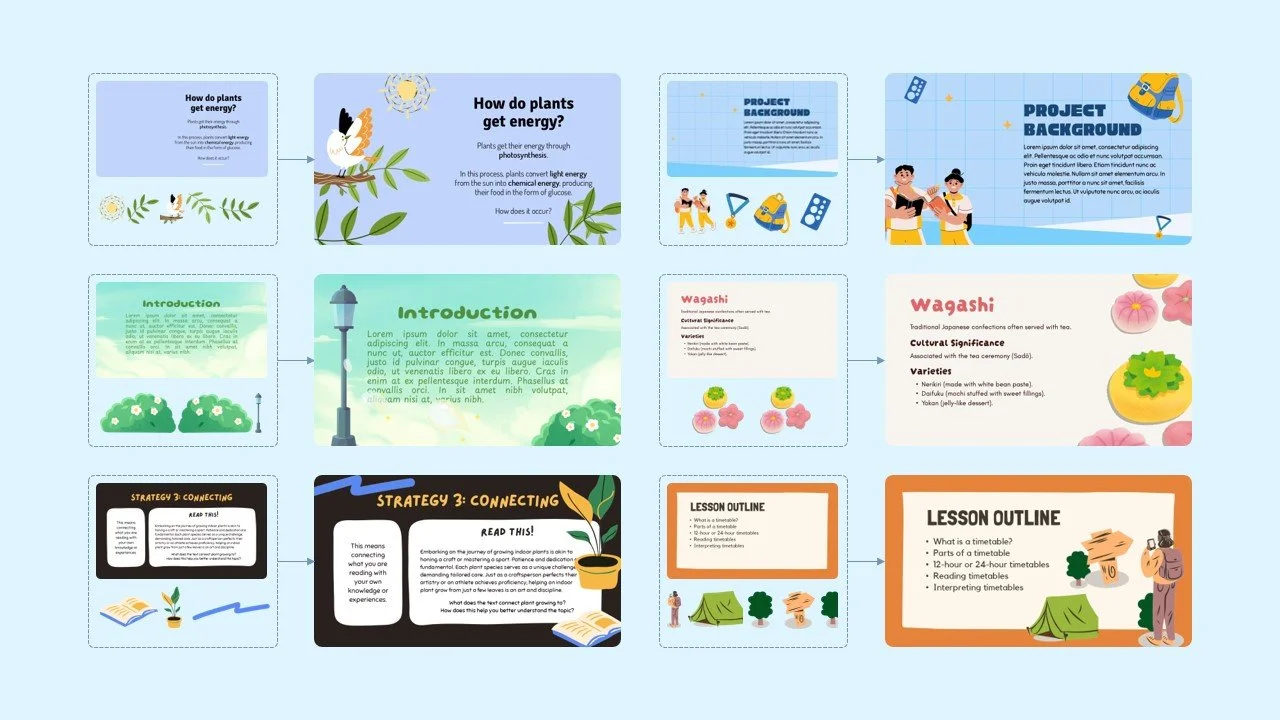
Slides enhanced with illustrations. The illustration layouts are generated by SlideILG.
Why Existing Layout Models Didn’t Cut It
Turns out, traditional layout datasets and models weren’t really built for this:
They assume there’s only one visual focal point (like a poster)
They don’t account for multiple illustrations, each needing position, size, and sometimes rotation
The data is often outdated, too “corporate,” or overly simplistic
And training a model from scratch with high-quality slide layout data? Not exactly practical — the data is scarce, and licensing it at scale is expensive.
So we looked elsewhere.
Our Approach: Guide > Train
Instead of building a fully supervised model from scratch, we focused on guidance and optimization, using what’s already out there.
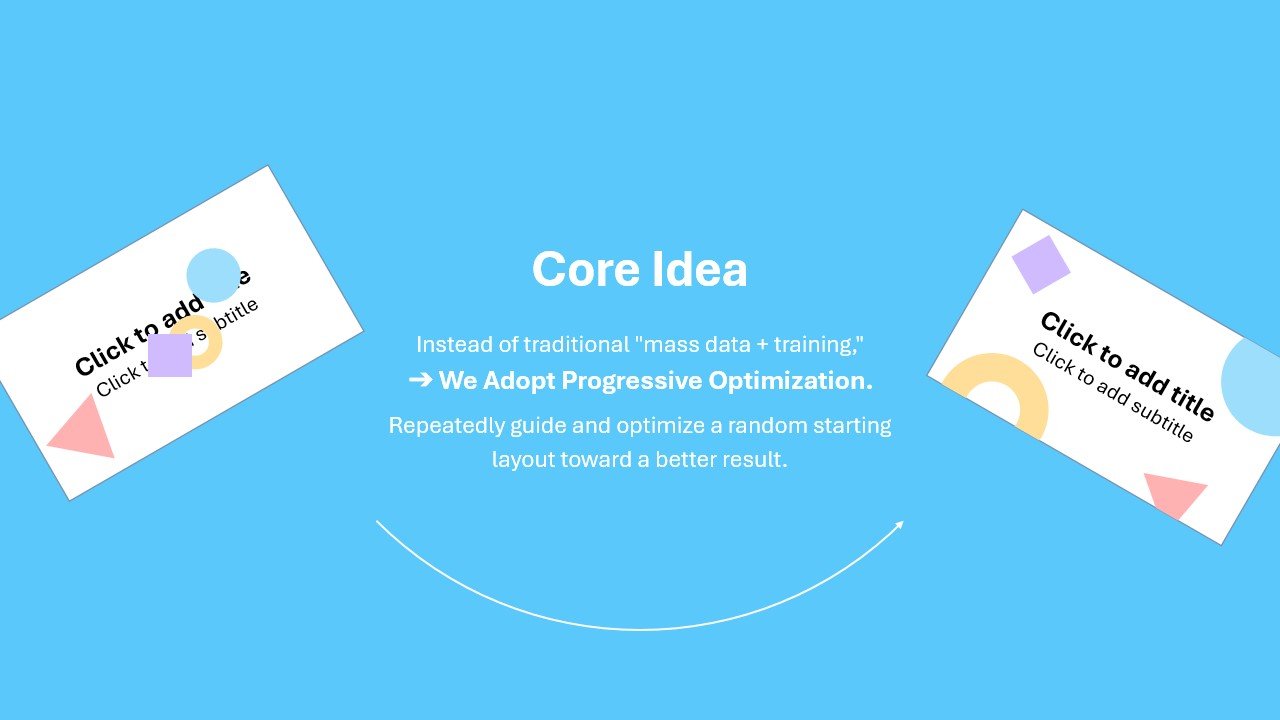
We built a layout pipeline with three main ingredients:
1. Smart Initialization
We used vision-language models to describe what the layout should look like (e.g., “put the bear on the bottom left”) and converted that into starting parameters.
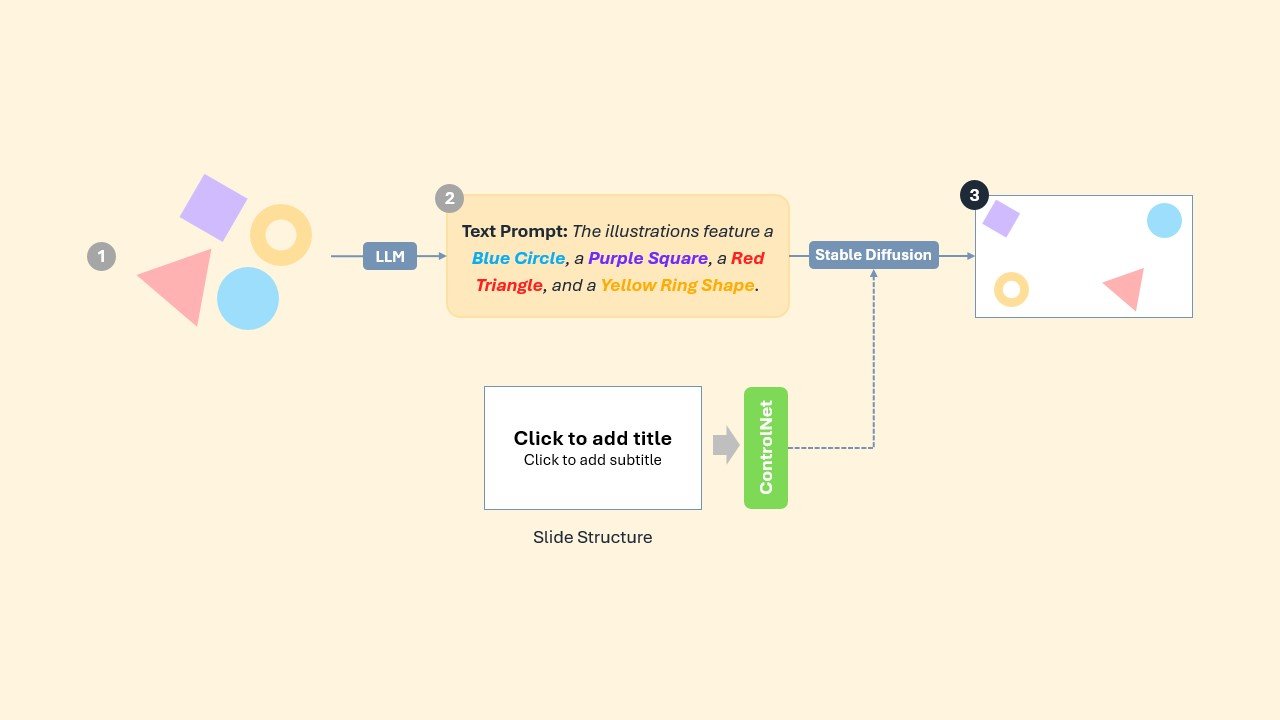
Highlight 1: Start from a Smarter Layout Guess
2. Visual Feedback Loop
We applied a diffusion-based score distillation system (SDS) to provide pixel-level feedback — in other words:
“Here’s what looks off, here’s how to fix it.”
The model learns by repeatedly refining its layout, using SDS loss to improve arrangement quality.
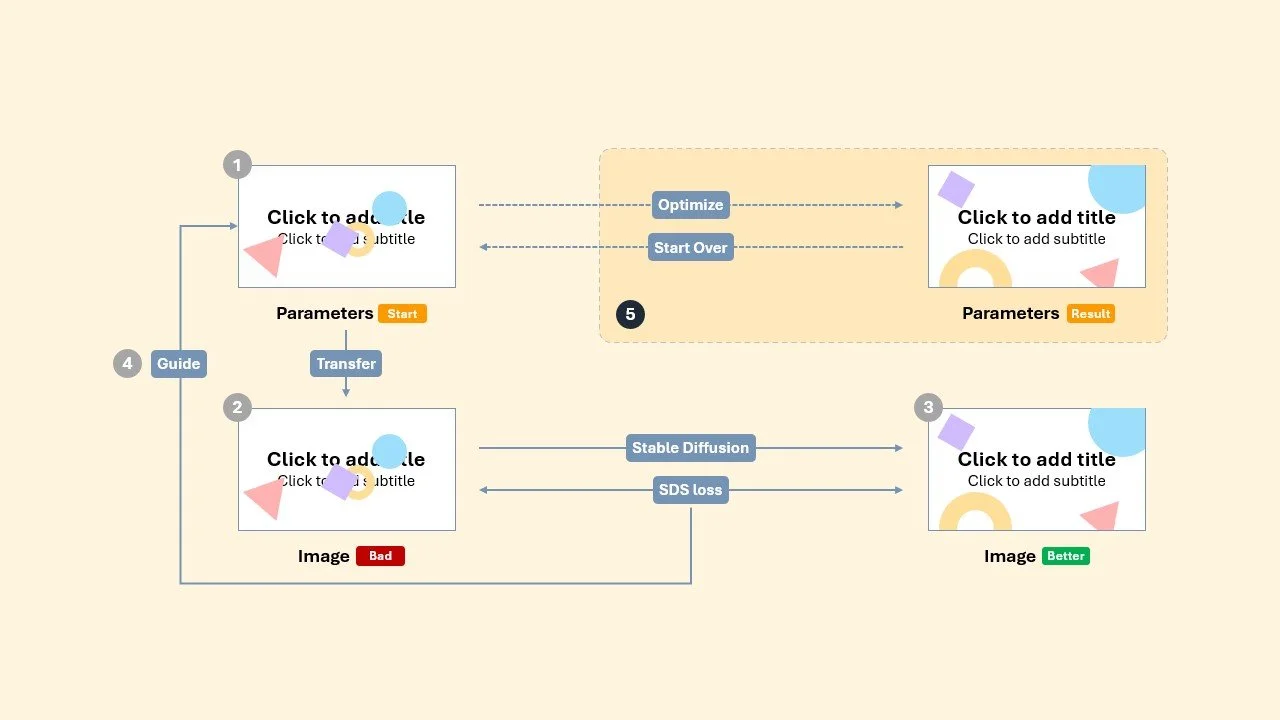
Highlight 2: SDS-Based Parameter Optimization
3. Finetuned Visual Taste
To make the pipeline more slide-aware, we created ~5000 stylized slides using a separate model (Flux) and used those to finetune the SDS module.
This gave the model a stronger visual intuition for real slide aesthetics — not just random layout generation.
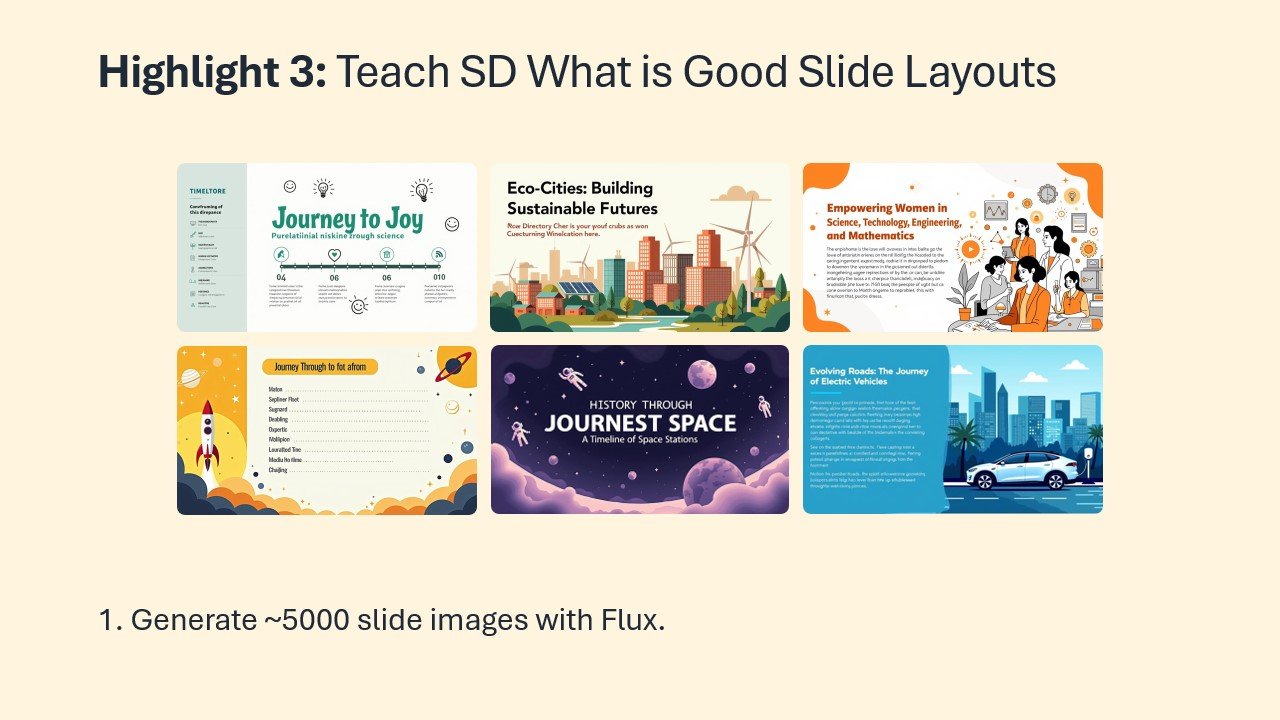
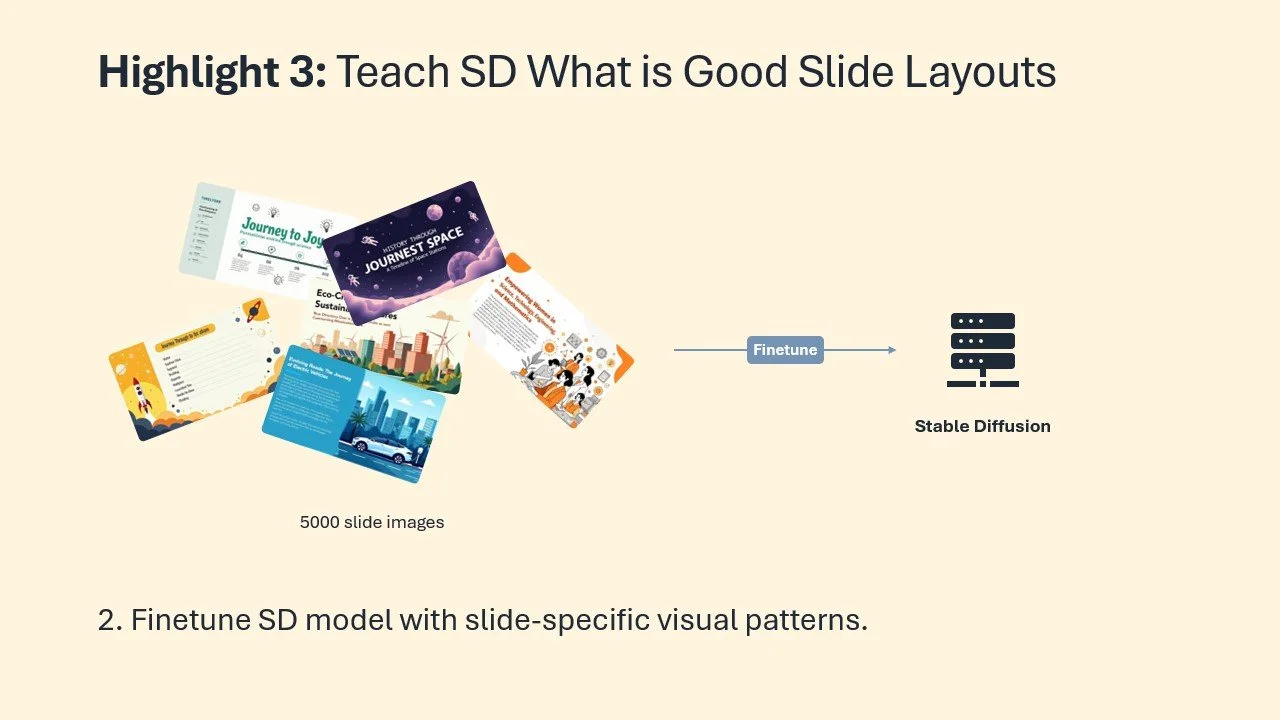
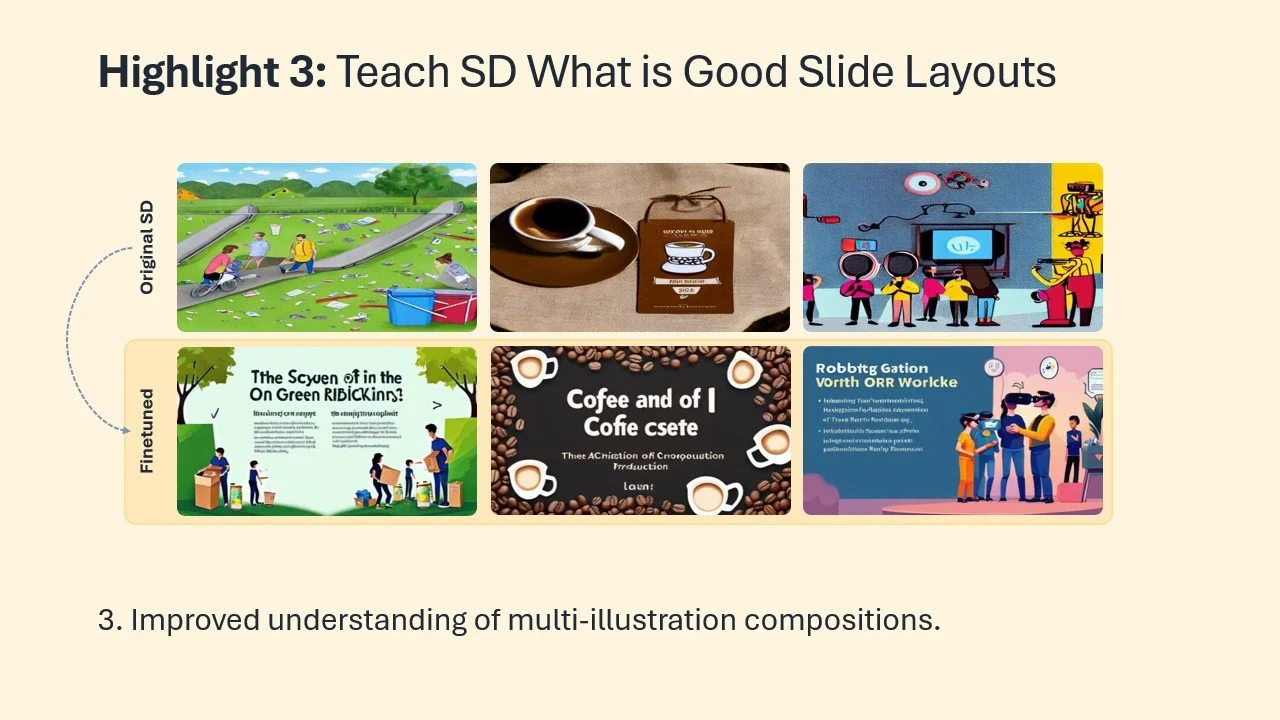
Highlight 3: Teach SD What is Good Slide Layouts
Evaluation: How Did It Do?
We evaluated the model through two structured tasks:
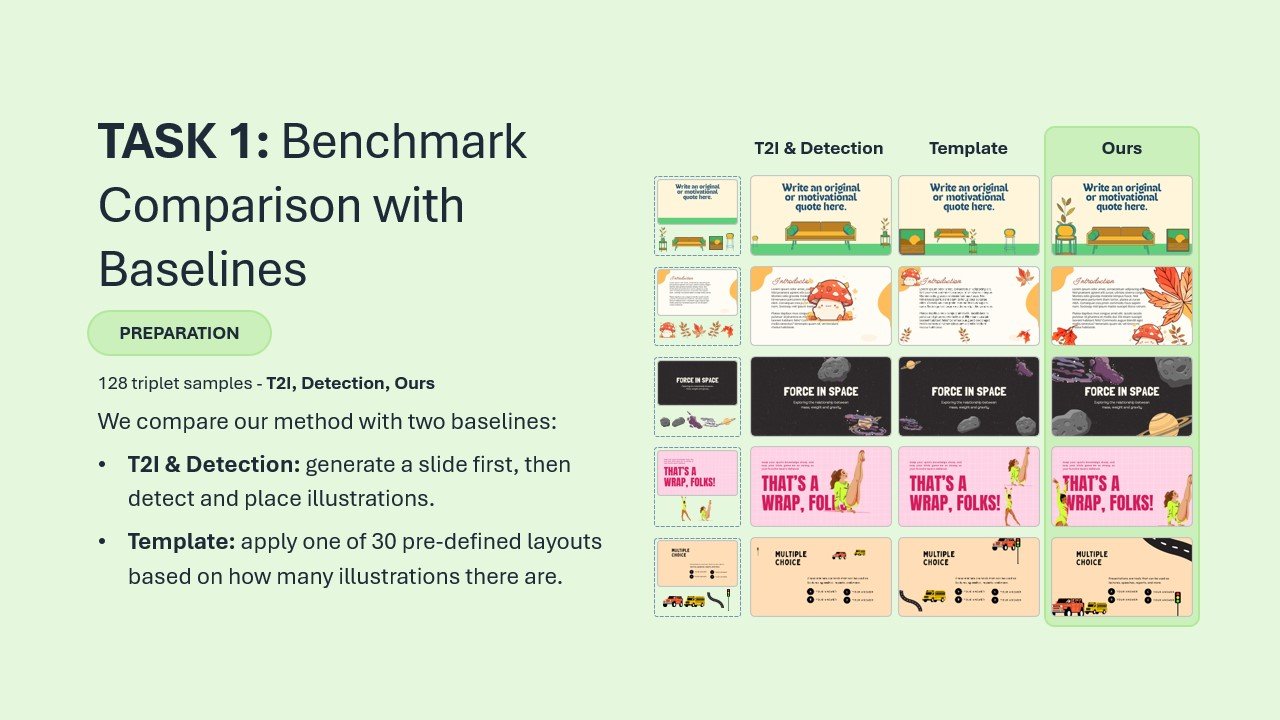
Task 1: Ours vs Two Baselines
We compared our method against:
Template: 30 hand-crafted fallback layouts
T21 Detection: A layout estimation method using SD image outputs and object detection
Each group of 128 sets contained one image per method.
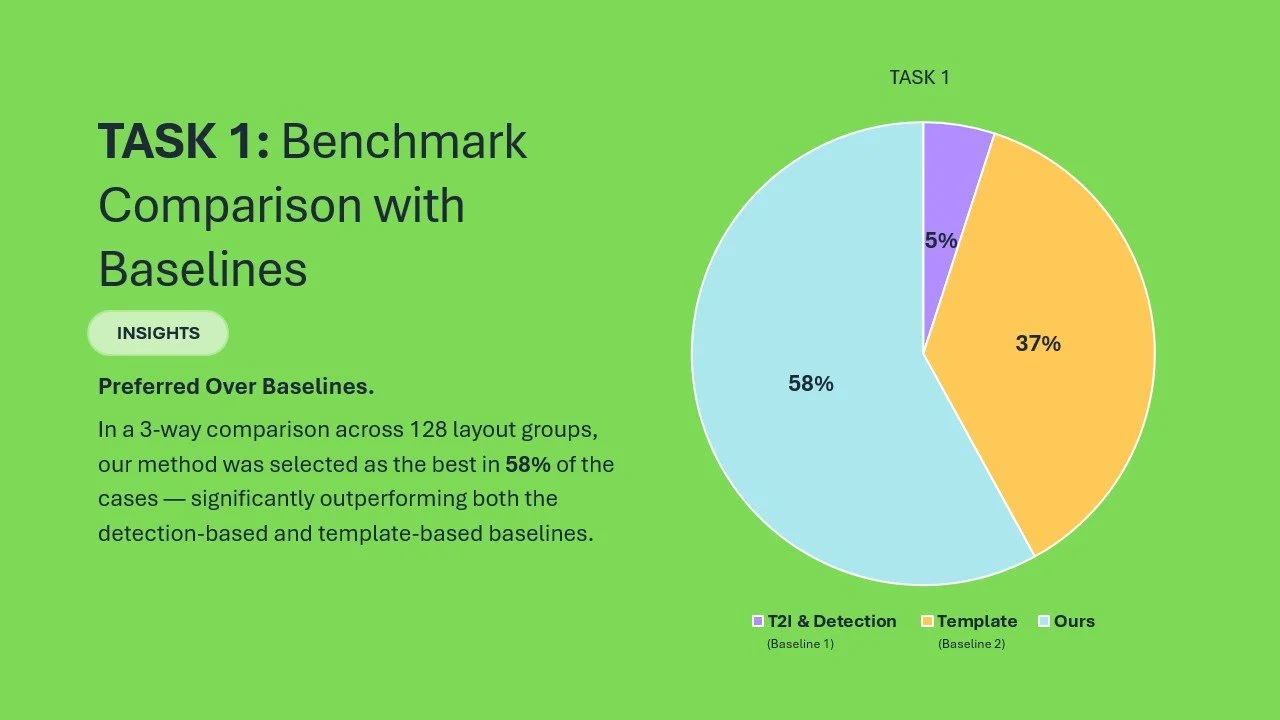
A panel of 3 designers and 4 researchers selected the best one in each group.
Result: Our method was picked as best in 58% of cases — significantly outperforming both baselines.
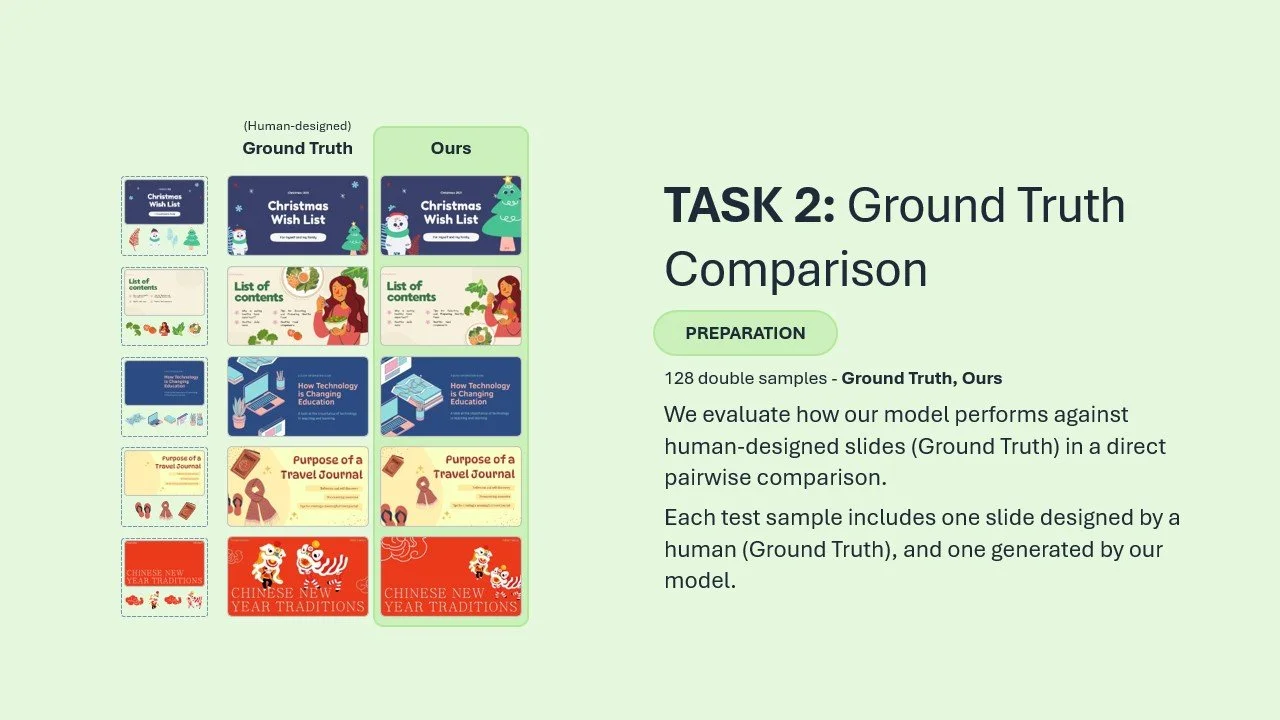
Task 2: Ours vs Human Layouts
This time we compared our model’s output against actual human-designed slides.
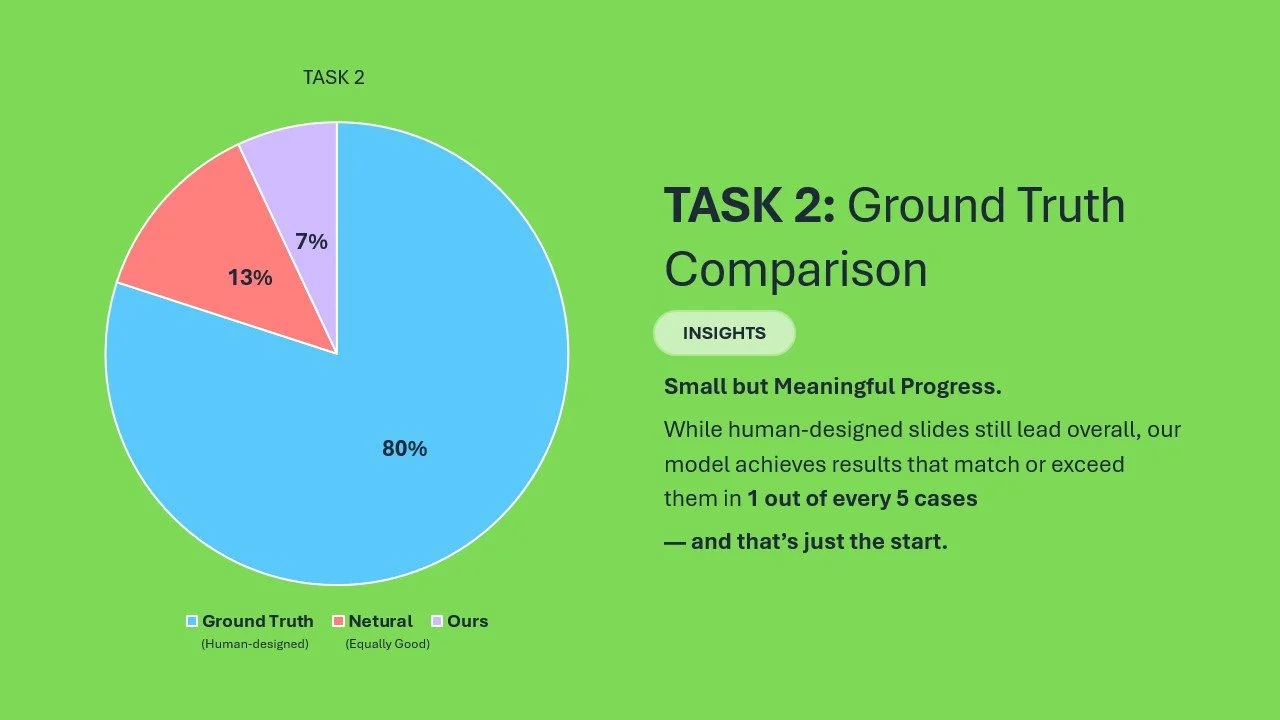
In 13% of cases, the AI layout was preferred
In 7%, they were indistinguishable
Yes, human designers still win — but the gap isn’t massive
It gave us confidence: With the right visual guidance, AI can start to compete.
What’s Next?
This solves just one part of the bigger problem — but it opens the door to exciting directions:
Using GPT-4o for smarter prompt generation and layout critique
Exploring end-to-end slide agents that generate, explain, and refine layouts
Building feedback-aware models that adapt to design intent
Curating better synthetic training data aligned with real user expectations
There’s still lots to do — but this felt like a solid first step in teaching AI how to compose like a designer.
Final Note
This project is part of our internal exploration into AI for presentation design. The core research was led by Zhaoyun Jiang, PhD candidate at Xi’an Jiaotong University and MSRA Joint PhD, mentored by Jiaqi Guo and Jian-Guang Lou.
I had the pleasure of supporting the project as Research PM, and co-authoring the paper:
📝 Illustration Layout Generation for Slide Enhancement with Pixel-based Diffusion Model
Thanks for reading — and if you’re working on layout, design systems, or generative AI, I’d love to connect.