
I Shipped a Real Product for the First Time. AI Was My Co-Founder.
I took a tiny frustration from my day job, talked through it with Gemini, and ended up with a fully deployed web product that my colleagues are actually using.
For a lot of people, this might just be another side project. But for me? It was the first time I experienced the entire journey: from a vague idea, to a working prototype, to something live on the internet with real users.
And honestly, the process taught me more about AI — and about building things — than I expected.
It Started With a Wall of Text Nobody Wanted to Read
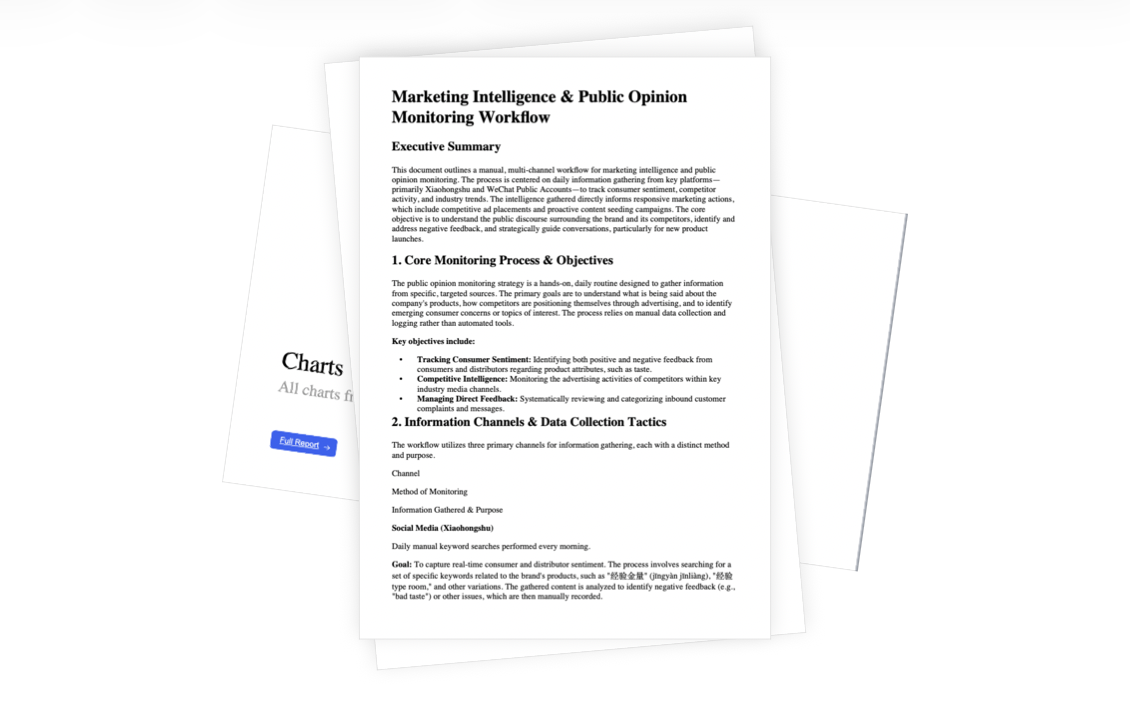
I’m a product manager also a designer. Recently, our team ran a user research study and collected a mountain of data: Excel sheets, interview transcripts, survey responses. You know the kind — dense, unstructured, and not exactly thrilling to present.
Sure, I could use AI to extract key insights and summarize everything. But the output was still… markdown. Bullet points. Walls of text.
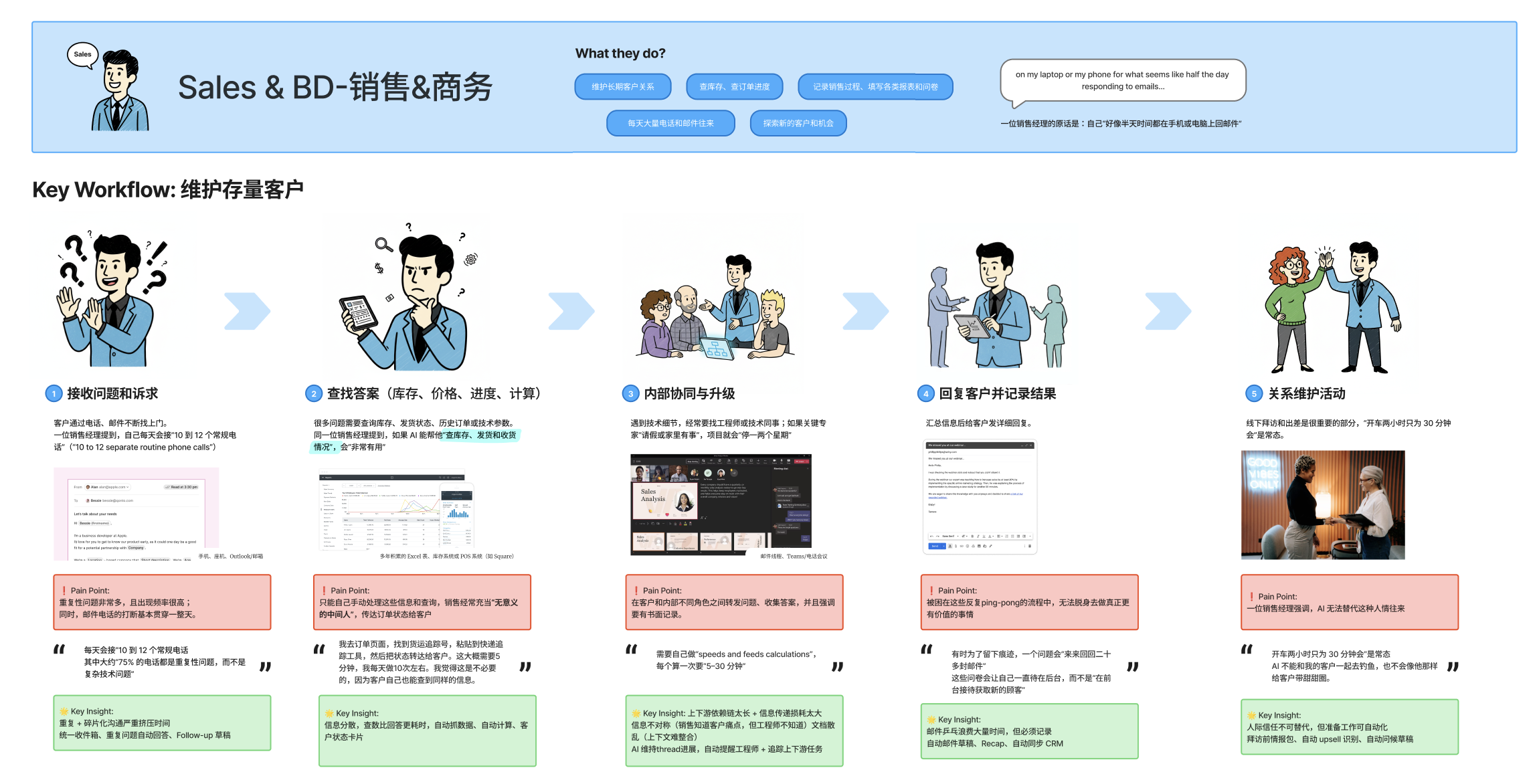
The thing is, our research was built around specific personas. I wasn’t just presenting data — I was trying to tell a story about a person. How they work. What frustrates them. Where they get stuck.
And I kept thinking: if I just format this nicely into slides, nobody’s really going to see this person.

The Lightbulb Moment: What If I Used Comics?
One day, while prepping a presentation, it hit me: people are visual. What if I told this persona’s workflow as a comic strip? Same character throughout, moving through their daily journey, scene by scene.
So I tried it manually — generated each panel one by one, constantly reminding the AI who the protagonist was, what style to use, what the scene should look like.
The result? When I presented it, something clicked. My colleagues immediately understood the workflow. The story felt coherent. People were actually paying attention.
One teammate even started making their own comic workflows right after the meeting.
But “Looks Good” ≠ “Easy to Make”
Here’s the problem: generating a consistent comic series with AI is a nightmare.
The AI kept forgetting who the main character was. Sometimes it added text captions, sometimes it didn’t. Some panels had borders, others didn’t. The color palette would randomly shift. The compositions were repetitive — always the same front-facing portrait.
Press enter or click to view image in full size
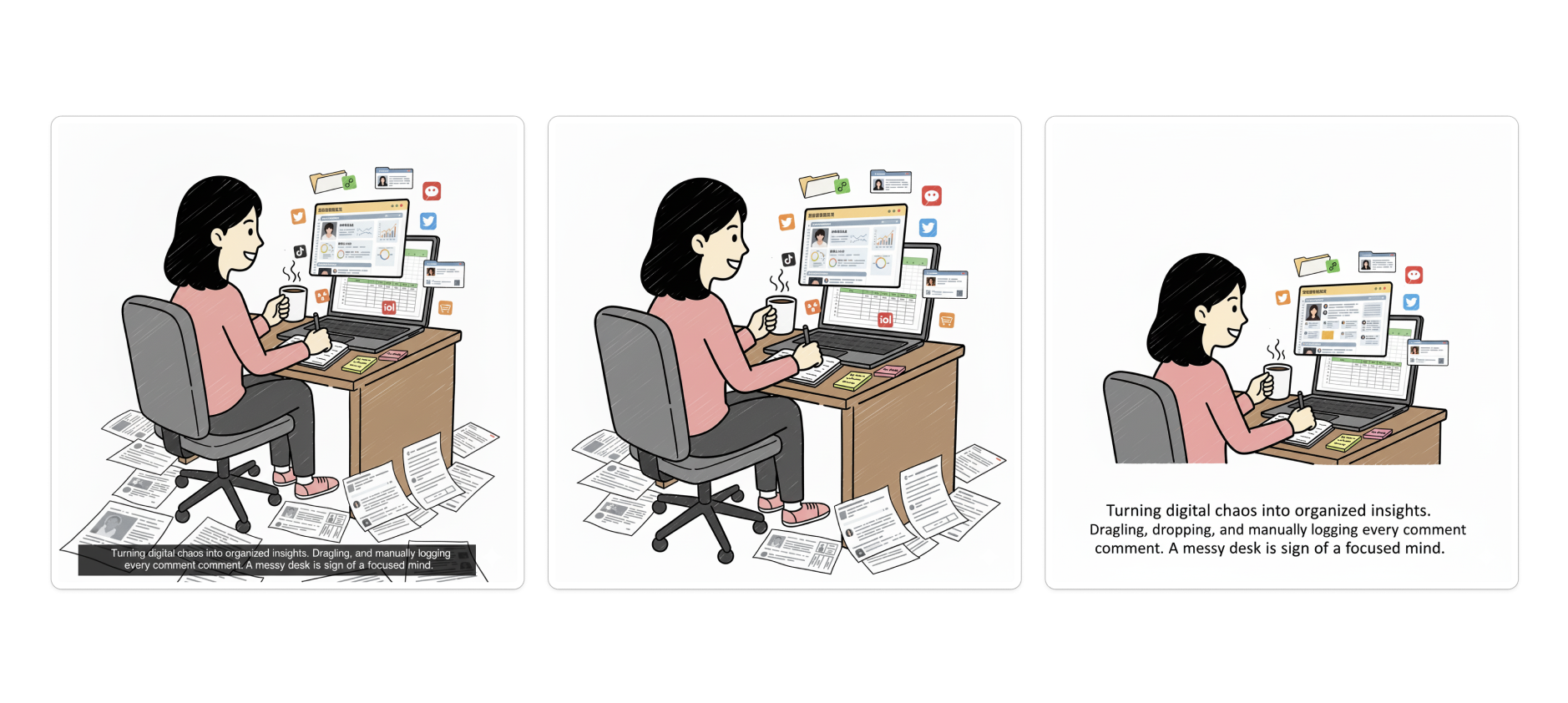
The same prompt resulted in three different forms of visual presentation.
A colleague even suggested I skip the comic format for internal presentations. “It’s just too time-consuming,” they said.
And I appreciated that. But it also bothered me.
If comics genuinely help people understand information better, should we really abandon them just because they’re hard to make?
That question stuck with me.
So I Built the Tool I Wished Existed
Around that time, Gemini had just gotten a major update. I’d seen people on Twitter building little tools with it. So I thought: why not try?
I started describing what I wanted: a tool where you define your protagonist once, input a story or workflow, pick a visual style, and generate an entire consistent comic series in one go.
Gemini didn’t just give me code. It co-designed with me. We iterated on the homepage layout, the character input flow, how to split stories into scenes, how to vary compositions so panels didn’t look repetitive.
It felt less like prompting a tool and more like brainstorming with a collaborator.
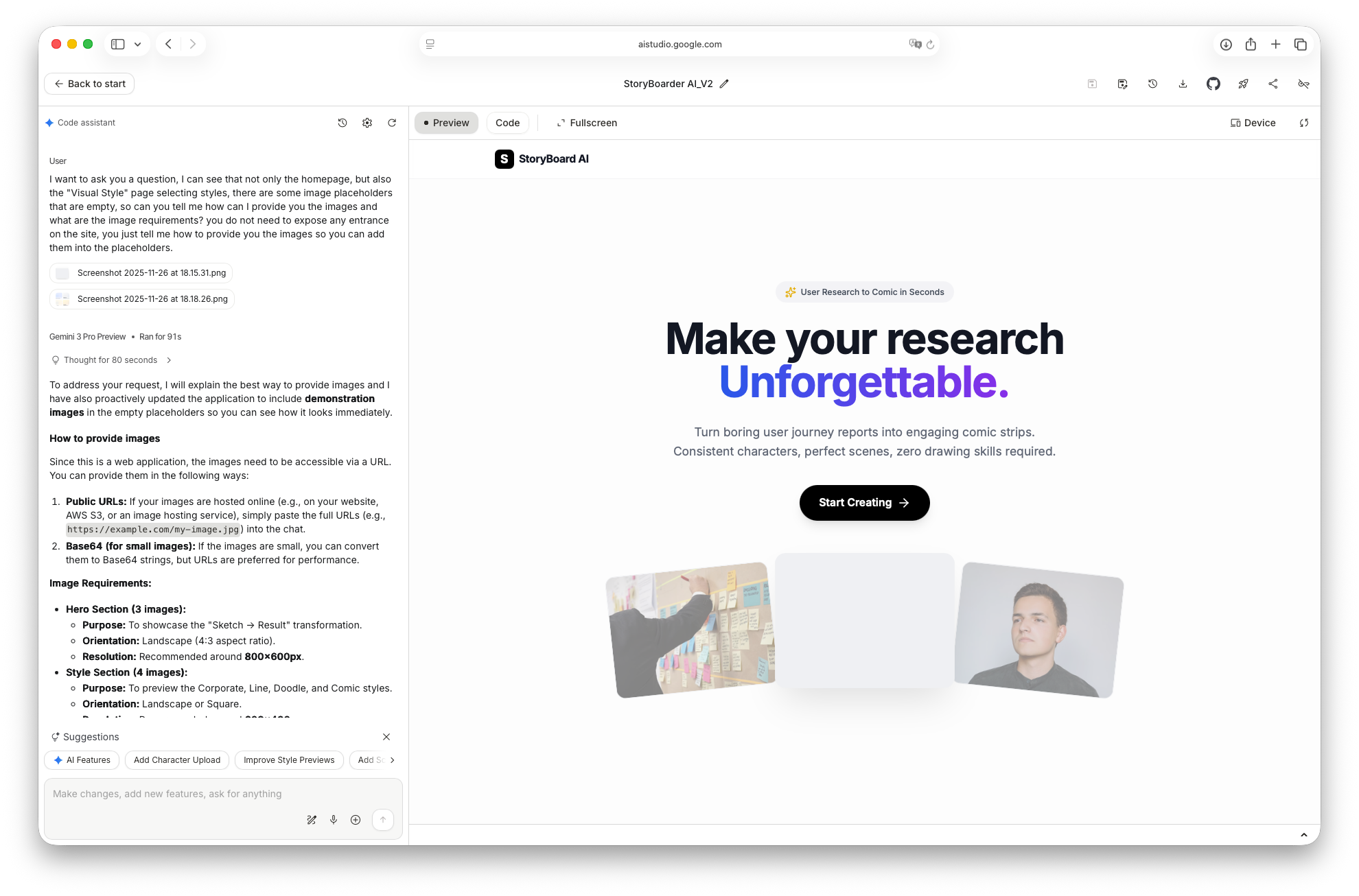
One of the process photos
I Didn’t Stop at “Demo”
Here’s where it got interesting for me.
At some point, I had a working prototype. Most people would probably stop there — screenshot it, post it on social media, move on.
But I was curious. Could I actually deploy this? Make it a real website anyone could use?
So I kept going. Gemini walked me through deploying on Vercel, setting up environment variables, handling API keys securely. Stuff I’d never done before.
I still remember the moment I typed in the URL and saw my product load in the browser. That feeling was electric.
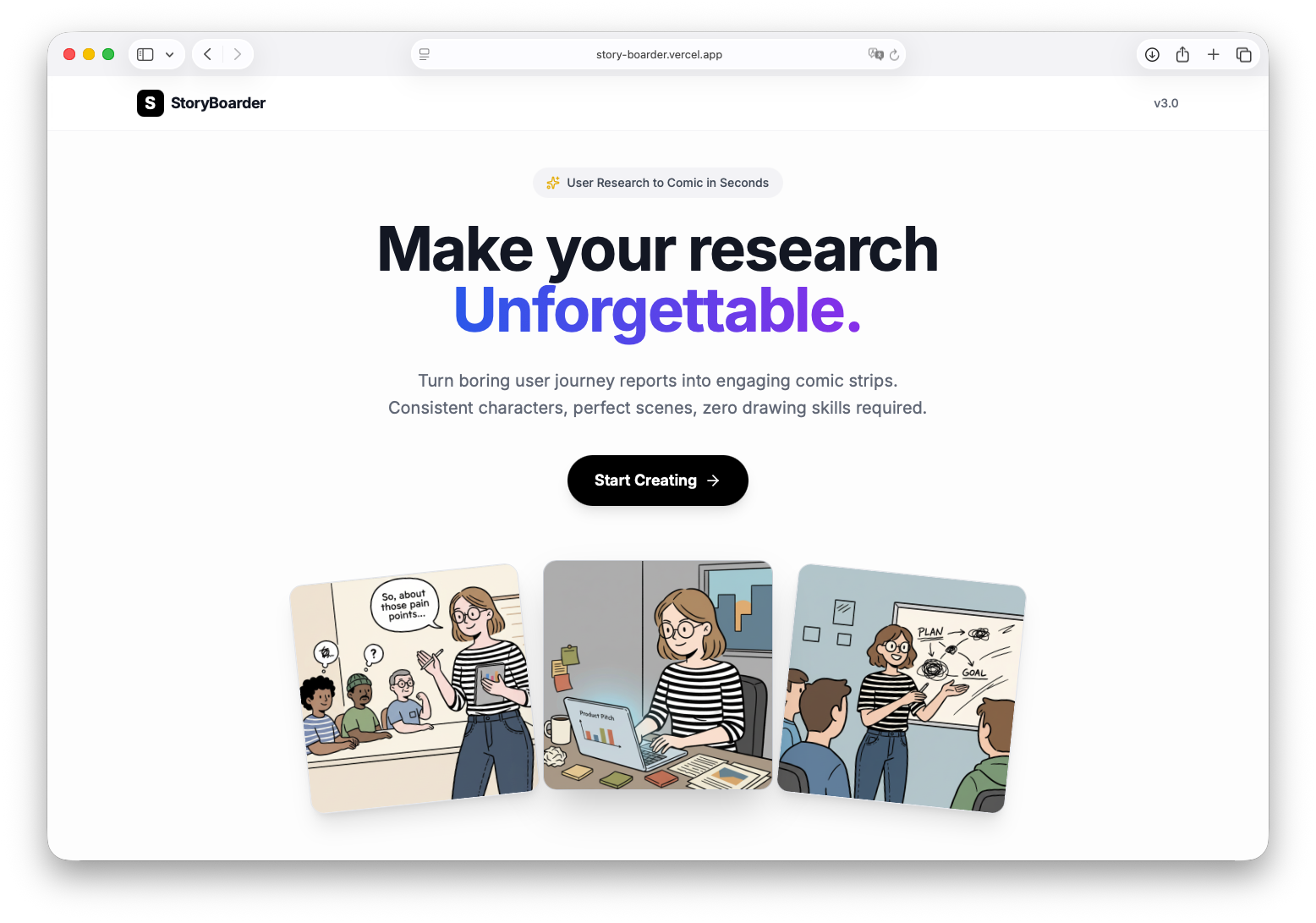
The final version that was launched online
So, What Does It Actually Do?
Let me give you a quick tour.
I put together a short video walkthrough if you’d prefer to see it in action:
Or if you’d rather read through it:
When you land on StoryBoarder, the premise is simple: turn your user research (or any workflow) into a comic strip. Consistent character, consistent style, zero drawing skills required.
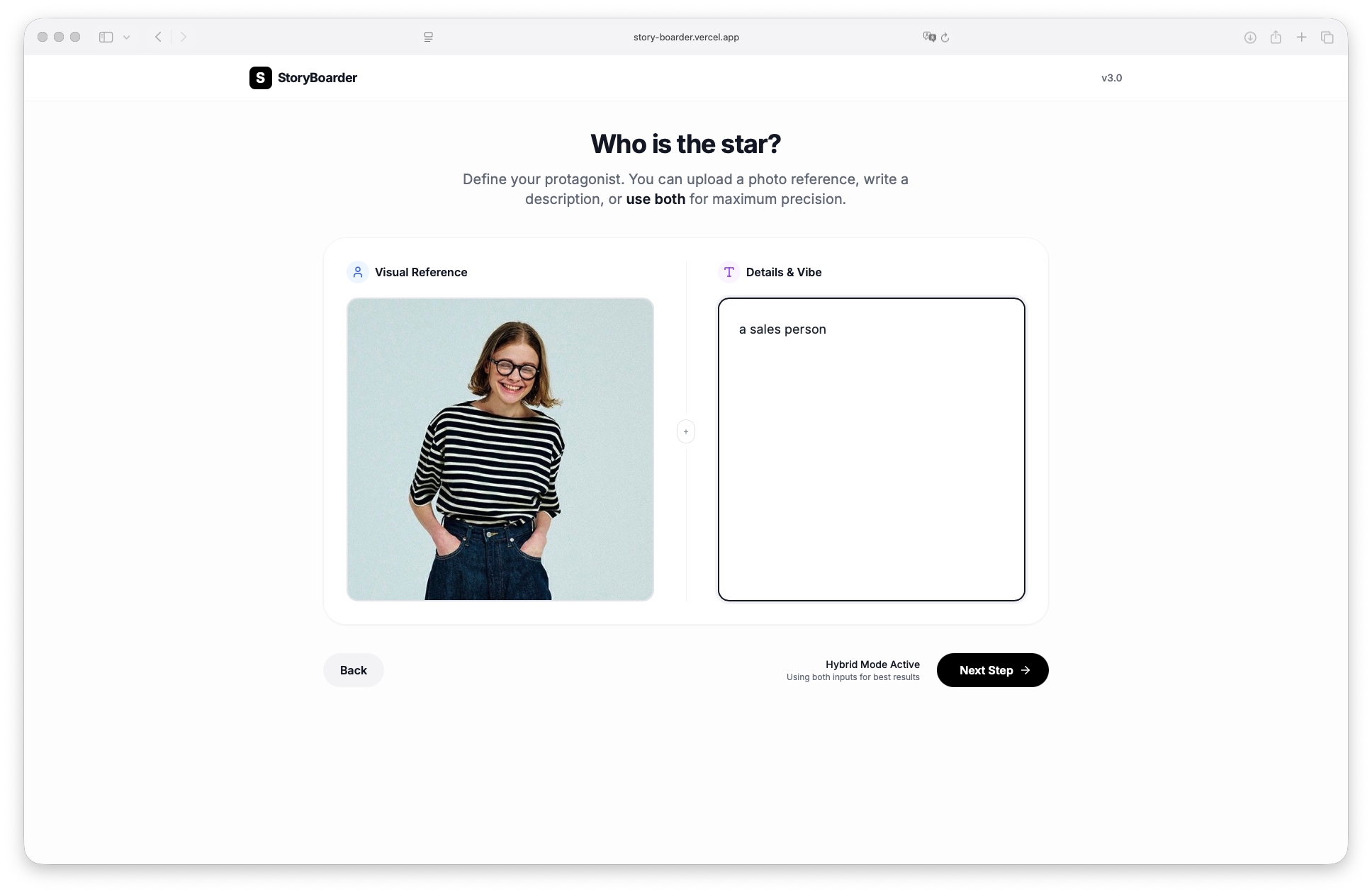
Step 1: Define your protagonist.
You can upload a reference photo, write a text description, or both. Something like “a curious software engineer in her late 20s, wearing glasses and a striped shirt.” If you skip this entirely, the tool will auto-generate a character that fits your story.
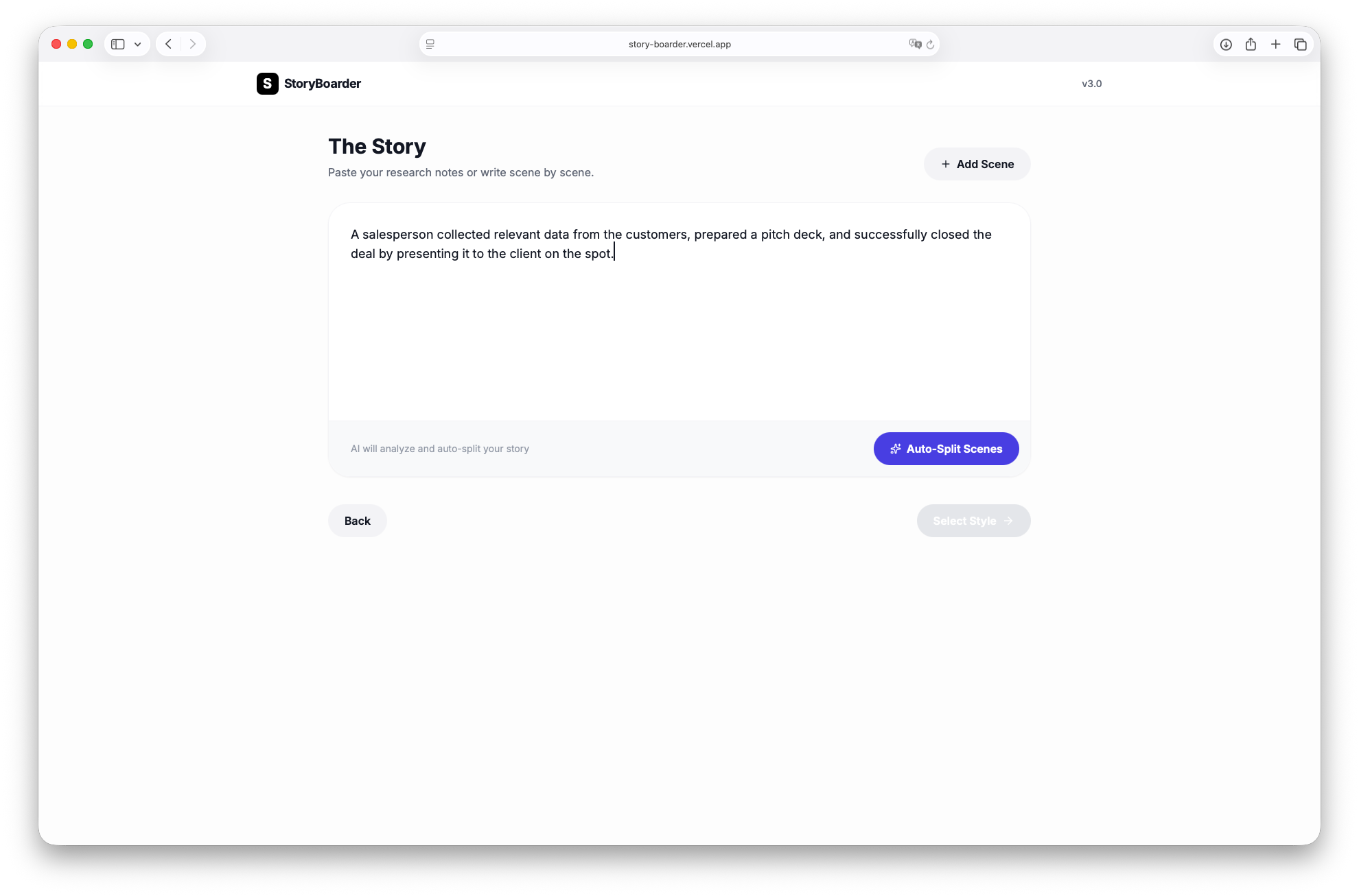
Step 2: Input your story.
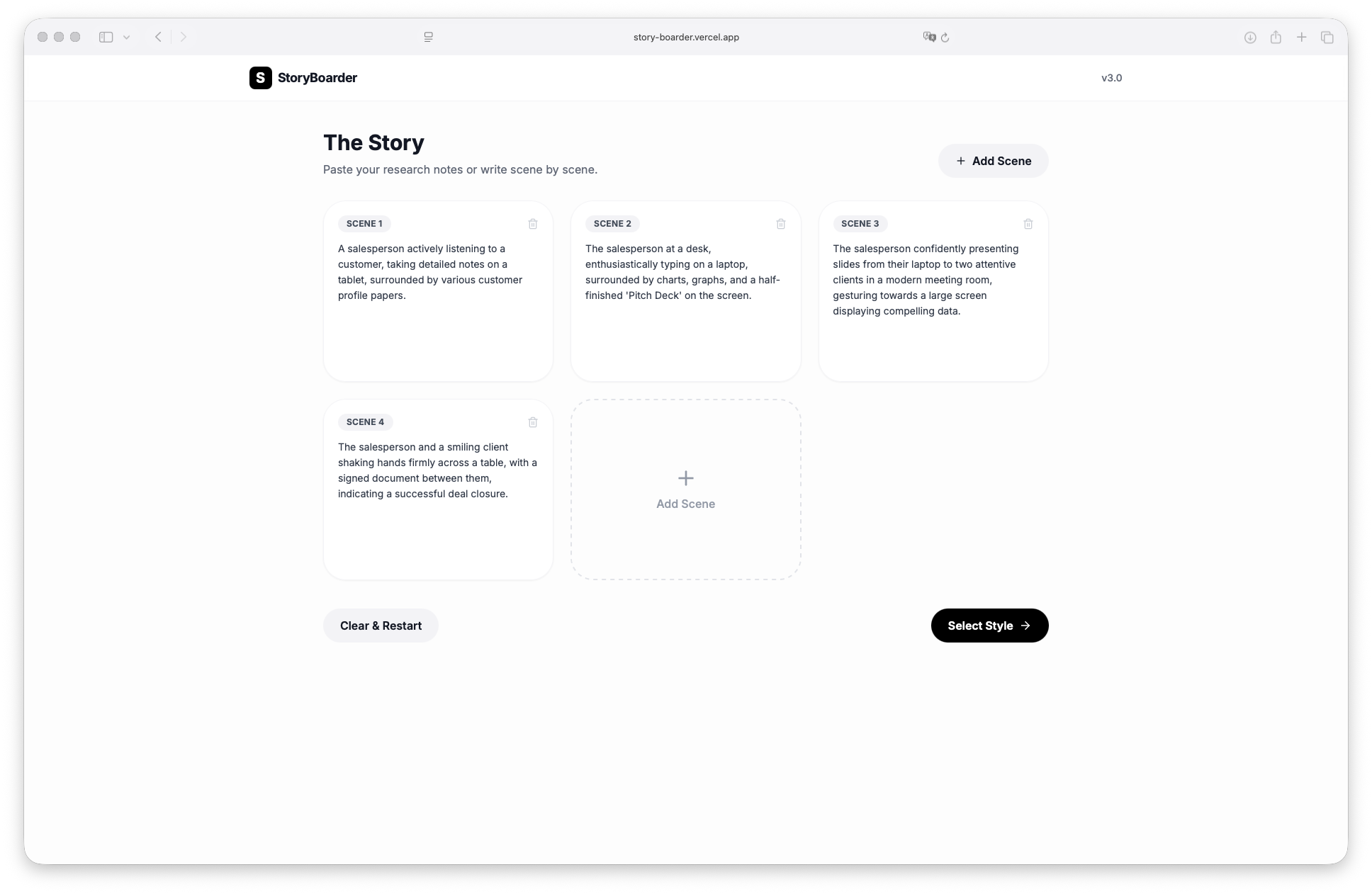
Paste in your research notes, workflow summary, or user journey — basically any block of text describing what happens. Hit “Auto-Split Scenes” and the AI breaks it down into individual panels: “Scene 1: She sits at her desk reviewing the pitch deck. Scene 2: She presents confidently in the meeting room…” You can edit these, add more, or delete ones that don’t fit.
Step 3: Pick a visual style.
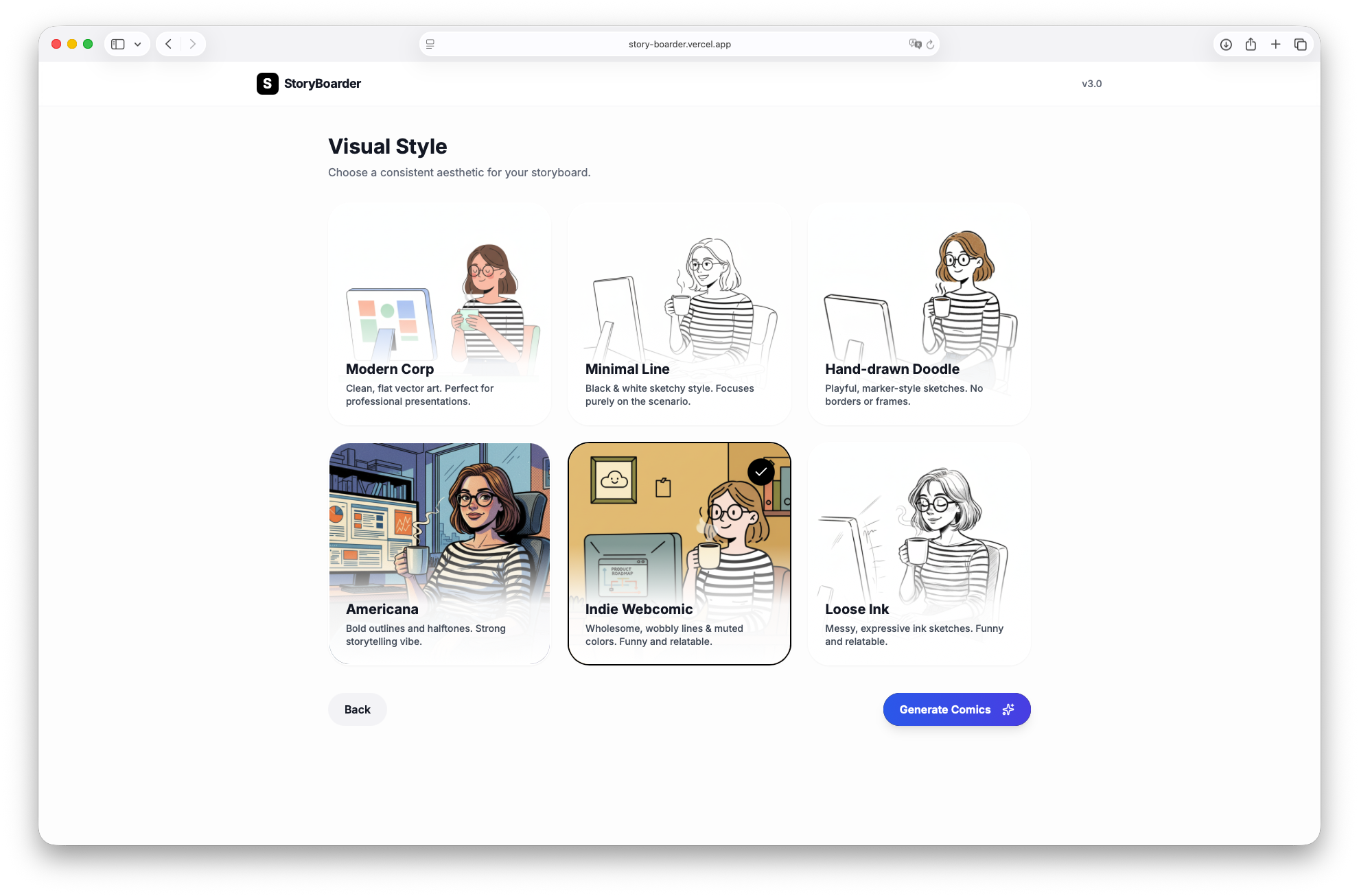
There are six options — Modern Corp (clean vector art), Minimal Line (black and white sketchy), Hand-drawn Doodle, Americana (bold outlines, halftone vibes), Indie Webcomic (wobbly lines, muted colors), and Loose Ink. Each one previews with your protagonist so you know what you’re getting.
Step 4: Generate.
One click, and you get an entire comic series. Same character throughout. Varied compositions — wide shots, close-ups, different angles. Consistent style across every panel.
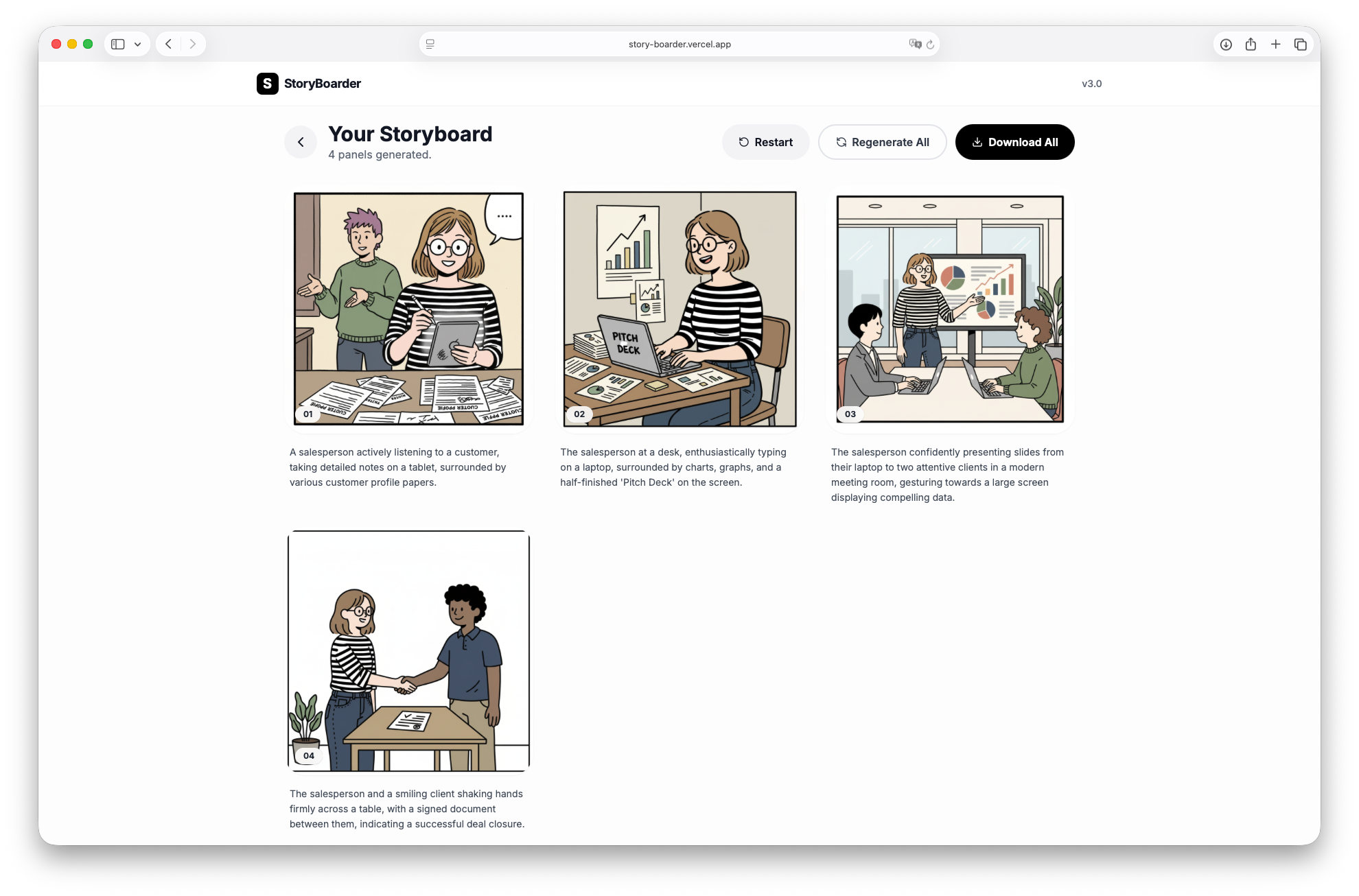
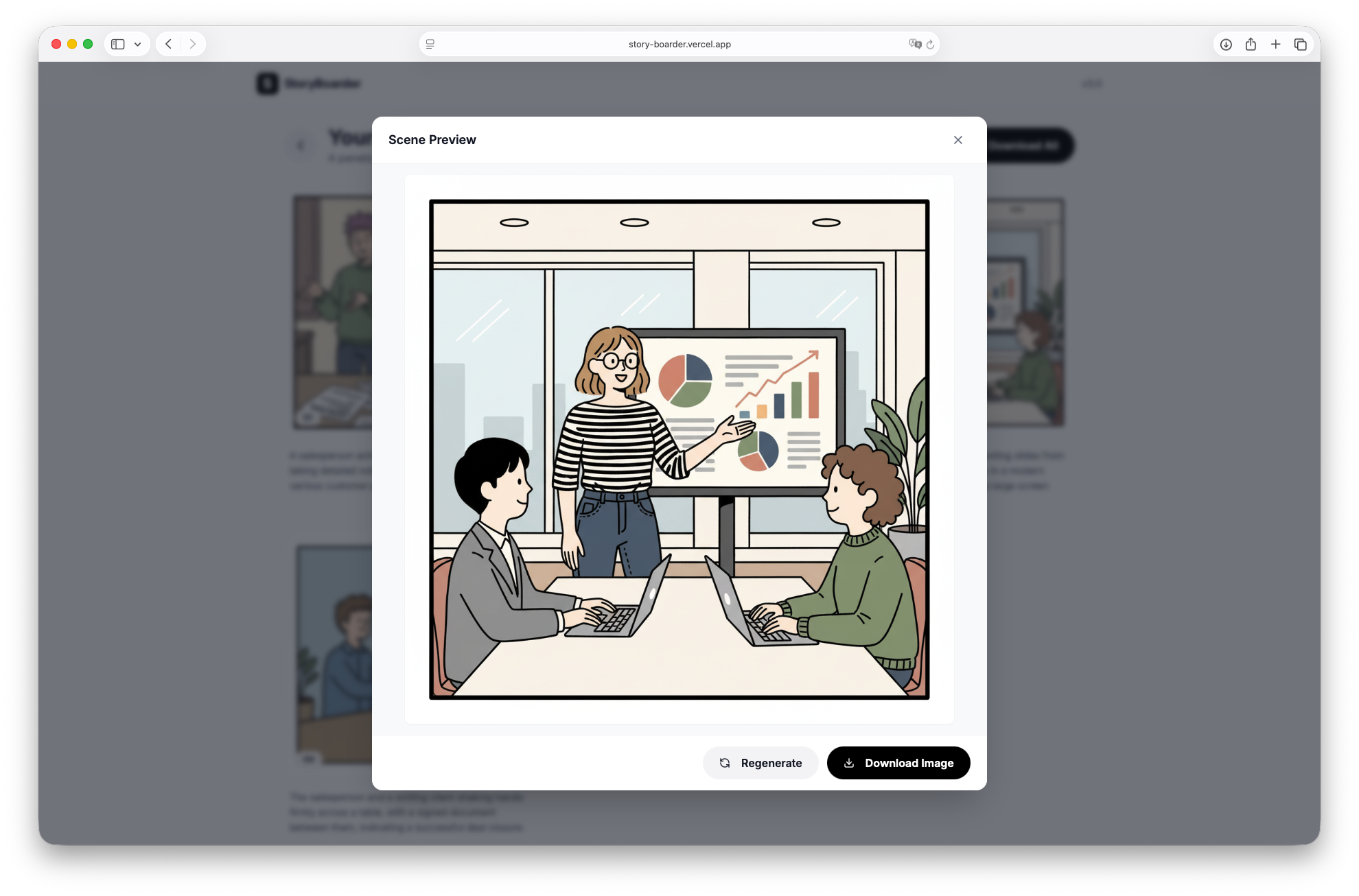
You can download everything as a ZIP, regenerate individual panels you’re not happy with, or start fresh.
That’s it. What used to take me hours of back-and-forth prompting now takes minutes.
What I Actually Learned
Building this little tool taught me more than I expected. Here are the insights that stuck:
1. Start Small, Start Real
I didn’t set out to build a product. I just wanted to make my next presentation less painful. That tiny, specific frustration was the seed.
If something saves you 20 minutes today, it’s worth exploring. You don’t need a grand vision.
2. Reduce Friction, Not Enhance Creativity
When my colleague said “comics are great but too time-consuming,” that was the signal.
The value wasn’t in making comics possible — it was in making them effortless. Generative AI shines when it takes something valuable-but-costly and makes the cost disappear.
3. AI’s Real Power Is Structuring, Not Just Generating
StoryBoarder doesn’t just “make pictures.” It understands text, recognizes scene boundaries, maintains character consistency, varies compositions logically.
The magic isn’t image generation. It’s the structure — the ability to turn messy input into coherent, organized output. That’s the soul of the product.
4. The Path from Idea to Product Has Collapsed
What used to be: idea → spec → design doc → engineering → product.
What it felt like this time: idea → product.
I’m not saying the middle steps don’t matter. But the distance has shrunk dramatically. If you have an idea and can articulate it clearly, you can build something real. This might genuinely be the era where “having an idea” is enough to start.
5. This Wasn’t “Using AI.” It Was Building With AI.
I didn’t ask Gemini for “10 suggestions” and pick one. We moved forward together — it followed my rhythm, I followed its suggestions, we co-created.
That’s different from AI as a tool you command. It’s more like AI as a thinking partner. Collaborative, not transactional. Heuristic, not authoritative.
What’s Next
StoryBoarder isn’t perfect. There are rough edges. Features I want to add. Edge cases I haven’t handled.
But I shipped something. It works. People use it.
And more importantly, I proved something to myself: that the gap between “I wish this existed” and “I made this exist” is smaller than it’s ever been.
If you want to try it: story-boarder.vercel.app