
From Zero to GPT Reviewer in 30 Minutes
In our current project, we handle a lot of AI-generated images — think styles like Minimalist, Architectural, 3D Elements, and more. Each style has its own detailed definition, visual standards, and audit rules. So naturally, we have a team of image auditors reviewing outputs to make sure everything aligns.
But as we’ve scaled up (and shifted from “generate → review → publish” to real-time generation), we hit a wall:
Manual review just isn’t fast enough anymore.
As someone who manages the process — tracking quality metrics, building review standards, and keeping things moving — I started wondering: Is there a way to take some of this load off our human reviewers?
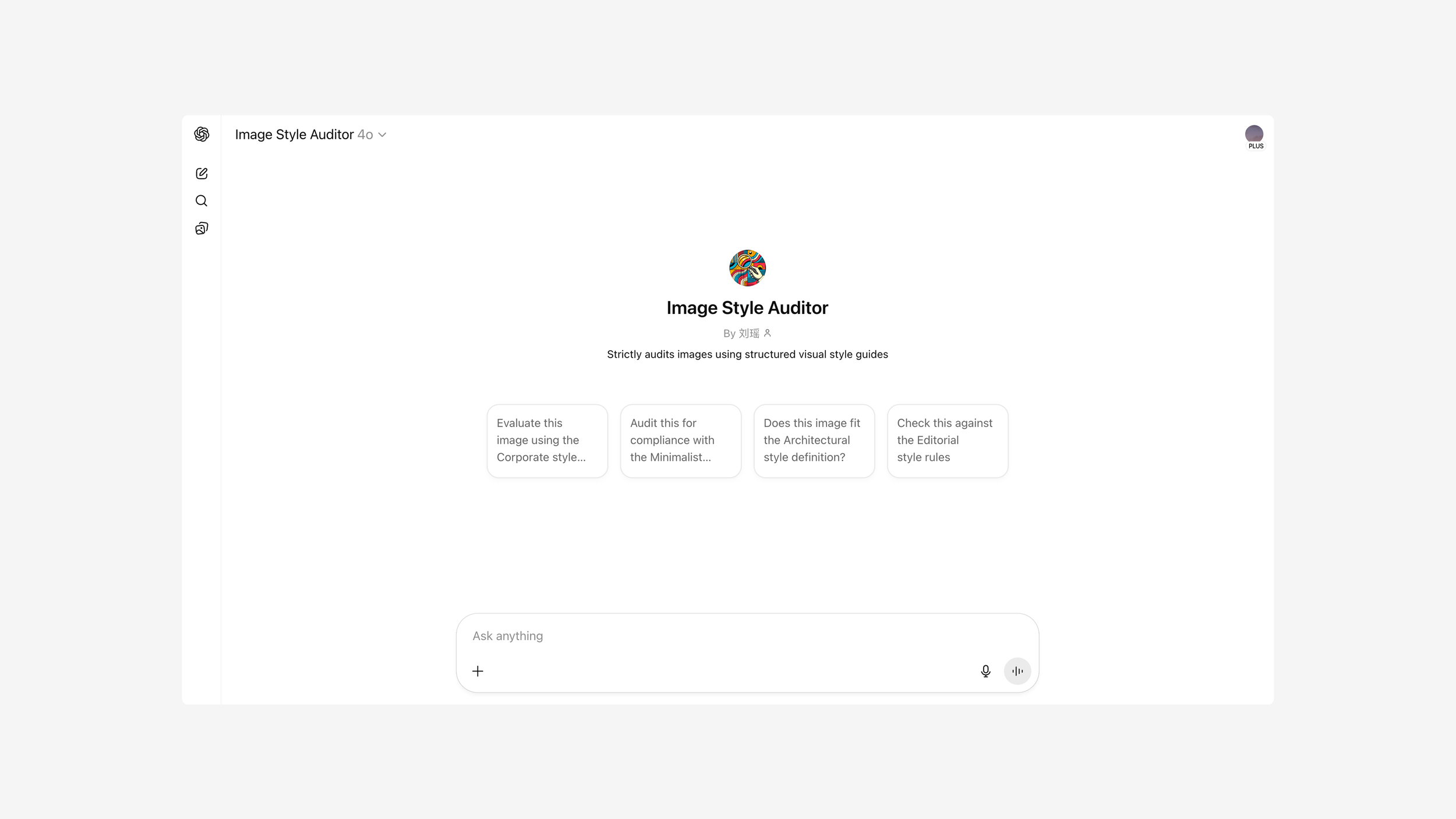
Turns out, yes. And I pulled it off using ChatGPT’s Custom GPT feature… in under 30 minutes.
Why Not Just Train a Custom Model?
Our first instinct, like many teams, was to think big: “If we want to automate image audits, we’ll need a model trained on tens of thousands of images.”
But that approach comes with a heavy cost: time, labeling, infrastructure, maintenance. Plus, we’d need to tag not just pass/fail, but why an image failed — across every style. That’s a huge lift. Then I thought: “Wait — what if I didn’t need a brand-new model? What if GPT-4o could just follow our existing rules?”
Turns out, GPT doesn’t need a dataset — it needs clarity.
Building the Custom GPT Reviewer
Following a quick back-and-forth with ChatGPT itself (you can see it here), I realized I could build a mini virtual reviewer based entirely on the documents we already had.
Here’s what I did:
Created a Custom GPT inside ChatGPT’s builder.
Uploaded our well-structured style guides (Do’s & Don’ts, positive/negative examples, rules per image type).
Wrote a simple set of system instructions, telling the model how to evaluate incoming images, what language to use, and how to explain its decisions.
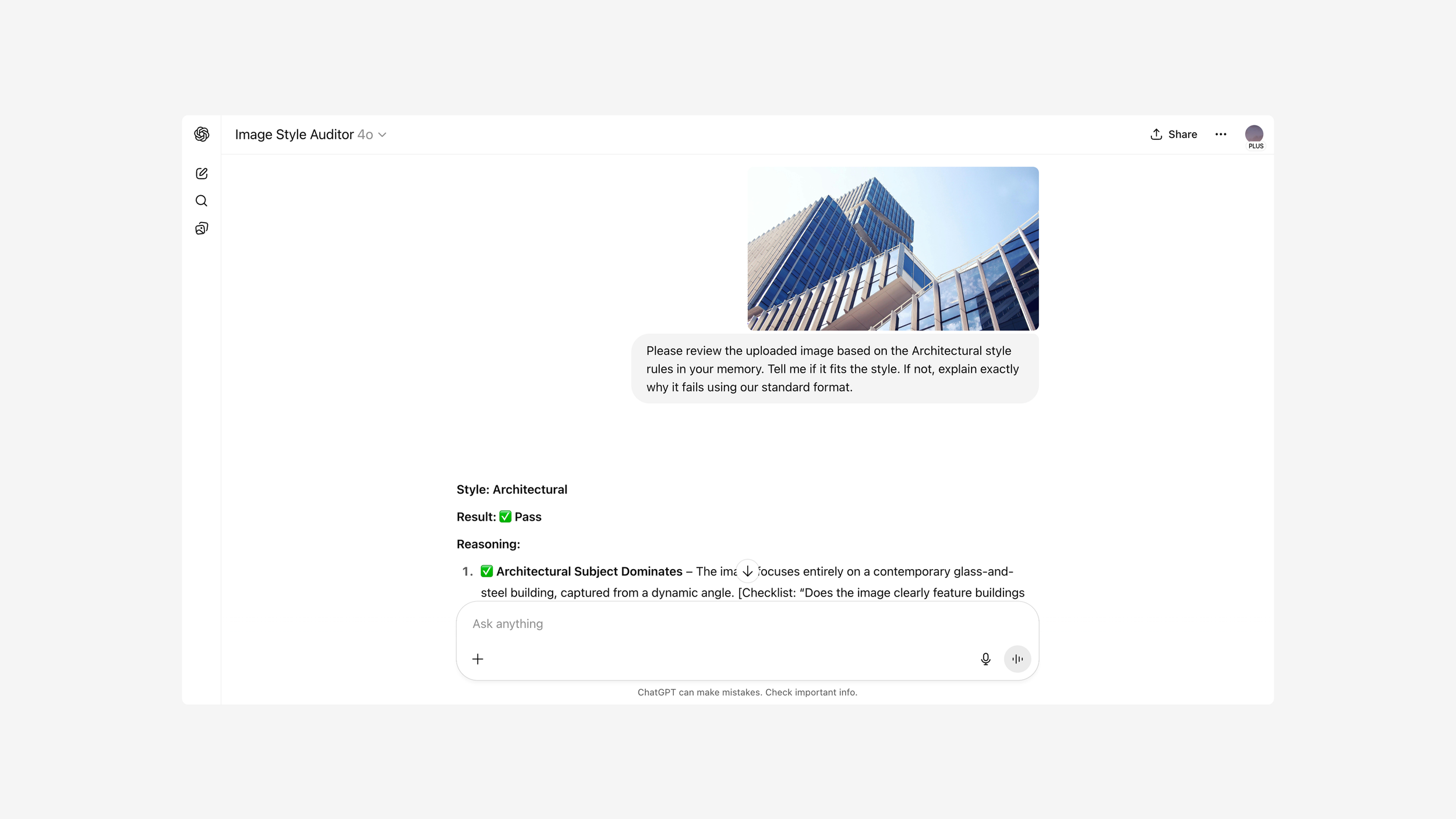
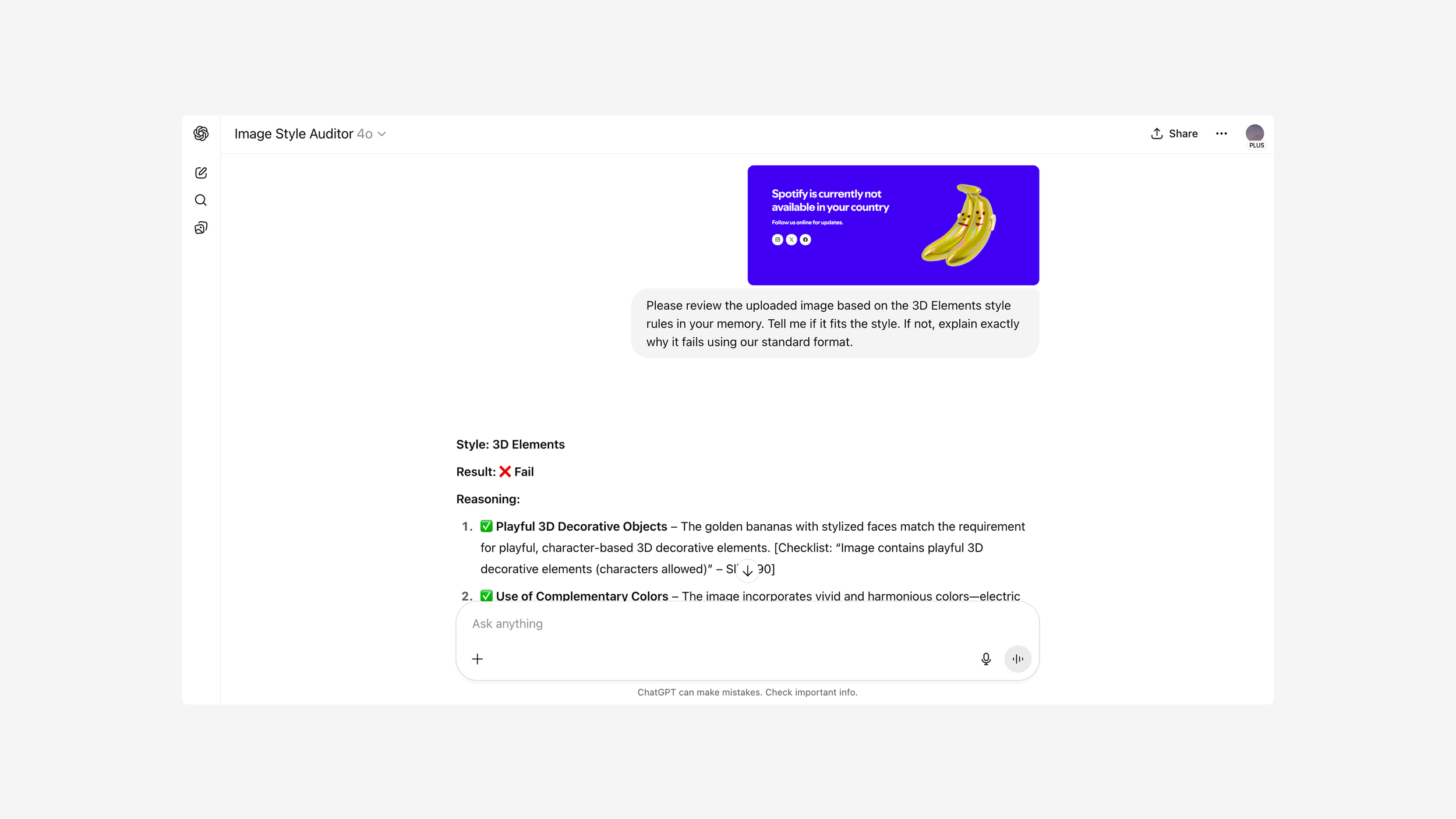
Ran a test with 20 images (audited by our team already), just to see how well it could replicate our standards.

The result?
19 out of 20 answers were spot on.
The one “mistake”? A blurry image that was borderline — and even our human reviewers weren’t aligned on it.
What I Learned
This little test gave me a few “aha” moments:
You don’t need tons of data — just clear rules and examples.
If your internal docs are already organized, setting this up takes less than 30 minutes.
GPT is surprisingly good at following review logic if you spell it out clearly.
This also made me realize that a lot of our hesitation around “AI quality control” is outdated thinking. We don’t always need to train complex models — sometimes, we just need to plug our brains into a smarter interface.
But What About Scaling?
Now, you might be wondering: “Cool, but can I run this on hundreds or thousands of images at once?”
Good question — and I had the same one. The answer? If you want to batch review, you’ll need to move beyond Custom GPTs and plug into the GPT API. From there, the real power comes when you combine the API with a RAG (Retrieval-Augmented Generation) setup. You can drop all your style definitions into a vector database, and let GPT pull the right context on the fly while reviewing each image.
From there, the real power comes when you combine the API with a RAG (Retrieval-Augmented Generation) setup. You can drop all your style definitions into a vector database, and let GPT pull the right context on the fly while reviewing each image.
It’s basically the same idea — just leveled up for production use.
Final Takeaway
This was one of those “small effort, big win” moments. I wasn’t trying to build the perfect reviewer. I just wanted to test whether we could take pressure off our team — and the answer was a strong yes.
So if you’re managing content quality, style audits, or any kind of visual review work — don’t wait for a massive AI build. Just start with what you have. A well-structured doc and a Custom GPT might be all you need to unlock a smarter, faster workflow.